Sleek podcast program for desktop
Poddycast is a free audio program for desktop devices by a developer named, Alexander Kettler aka MrChuckomo. It is an open-source podcast application that features cross-platform compatibility and can be used across all major desktop platforms. With it, users will be able to add and stream all their favorite podcast channels in one place.
Poddycast is similar to another open-source podcast app called, Kodcast. Comparing the two, the latter is a more simplistic solution to users' streaming needs. While the former is more feature-packed and provides more options and control to podcasting, including various tools for managing and organizing individual subscriptions and episodes.
How do I use Poddycast?
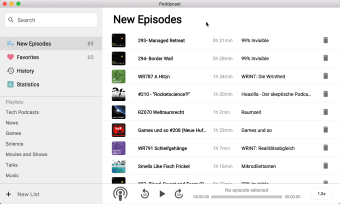
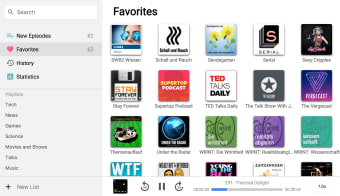
Poddycast features a clean and sleek user interface design that has a dual-pane layout. A sidebar for navigation is located at the left, while the large main display for content and information is on the right. To add a podcast, you can use the search bar to look for it, and click on the heart icon beside the channel to subscribe to it. It uses iTunes API that helps make your searches easier and more relevant.
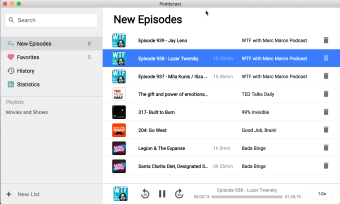
Subscriptions are located in the Favorites folder for easy access. Click on one to browse its episodes and pick one to start streaming. The bottom bar houses playback controls and information including play/pause, seek buttons, duration, and a volume slider. You can also use the Spacebar for play/pause and your left and arrow keys are for rewinding or fast-forwarding. All latest releases can be seen in the New Episodes section.
As mentioned earlier, Poddycast features cross-platform compatibility across all desktop platforms and is a portable program, making it easy to bring with you and use anywhere. A couple of things worth mentioning if you're interested in trying it out. The first is that it lacks support for offline playback. The second is there are no options to import or export OPML feeds.
A capable podcast app for desktop
In conclusion, if you're on the lookout for a free app to be able to stream your favorite podcasts, Poddycast is a good option to consider. It's easy-to-use, well-designed, and offers enough features for managing and organizing your feeds. If you don't mind the lack of offline playback, give this one a go.